GitHub - How to submit / How to commit
Be somewhere inside the repo — with git add -A it doesn’t matter which folder. See the
note at the bottom on why git add . is the one command that does care where you’re standing.
- Check the status of your files
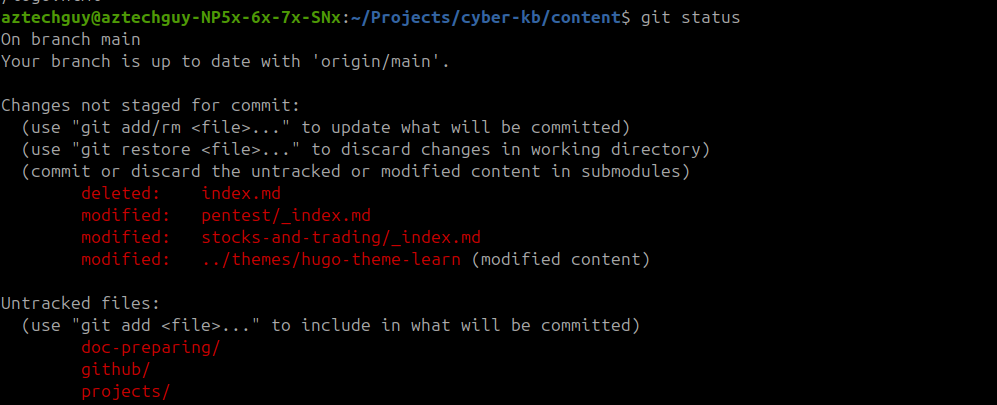
‘git status’
- Stage all files for commit
git add -A

- Commit with a meaningful message
git commit -m “Initial commit: Added PenTest+ and Trading Bot markdown skeletons”

- Push to your private GitHub repo
 git push -u origin main
To verify it’s safely on GitHub without opening a browser, use the CLI:
gh repo view
git add -A vs git add . — this one matters
-A stages the whole repo. . stages only the folder you’re standing in and below.
. is a path argument. -A is a flag meaning “everything, wherever I am.”
Proved with --dry-run on a real commit (2026-08-09), standing in cyber-kb/content/:
$ git add --dry-run .          # from content/
  add 'content/github/How to/index.md'
  remove 'content/github/images/gitadd.png'
  add 'content/github/pre-commit-secret-scanning.md'
  add 'content/doc-preparing/hugo-changes-not-showing.md'
  add 'content/github/images/gitadd-a.png'
                                          <- .gitignore MISSING

$ git add --dry-run -A         # from the same folder
  add '.gitignore'                        <- caught
  add 'content/github/How to/index.md'
  remove 'content/github/images/gitadd.png'
  add 'content/github/pre-commit-secret-scanning.md'
  add 'content/doc-preparing/hugo-changes-not-showing.md'
  add 'content/github/images/gitadd-a.png'
.gitignore lives at the repo root, so git add . from content/ never sees it. The commit
succeeds, the push succeeds, no error at any point — the change simply isn’t there. You find
out weeks later when the ignore rule doesn’t work.
There are 15 tracked files outside content/ in this repo (hugo.toml, layouts/, scripts/,
.gitignore), so this is a live risk, not a hypothetical.
So: stay in content/ if that’s the habit — just always use -A. It behaves identically
from the root, so one command is always right and there’s nothing to remember.
git add -A && git commit -m "message" && git push
Only git add . cares where you stand. git status, git commit, and git push all operate
on the whole repo from anywhere inside it.
Outdated advice warning: older StackOverflow answers say
git add .misses deletions and you need-Afor that. That changed in Git 2.0 (2014). The only remaining difference is path scope.
git push vs git push -u origin main — this one doesn’t
-u (--set-upstream) links your local branch to the remote one. It only needs to run once
per branch. After that the link is stored in .git/config:
branch.main.remote = origin
branch.main.merge  = refs/heads/main
Once that exists, a bare git push already knows where to go. Re-passing -u origin main just
sets the same link again — harmless, no downside, keep it if it’s habit.
The one time it would matter: git push -u origin main names the branch explicitly, so
on a feature branch it would push main rather than the work you’re actually on. A bare
git push always pushes the current branch. Not a live concern with a single-branch repo, but
worth knowing if you ever start branching.